This blog is being built along with a blogging framework for the entire Conundrum ecosystem.
This is taking significantly more time than building a simple blogging website, but when this is complete in a couple months, all users will be able to publish their notes as a blog, independent of any specific service, including Fluster.
Coming June '26: Introducing Fluster
See the full Conundrum source for this page on our Github
Hello, my name's Andrew and I'm the creator of Fluster1. If you're new here, this app has quite a unique back-story that I hope to share with you here, but first I want to get into what exactly Fluster is.
First, Fluster is not just a markdown based note taking application. Fluster originally used mdx, a combination of markdown and jsx which is itself a superset of javascript. To make a long story short, mdx is one of the favorite tools among developers, but it's complicated syntax left it largely inaccessible to every-day users that never plan to become developers. Every time you visit a documentation based website (pretty much any help section), there's a significant chance that the content is written in mdx by the team of developers behind that platform, but Fluster aims to make these tools accessible to everyone with the desire to learn (along with support for a simplified syntax).
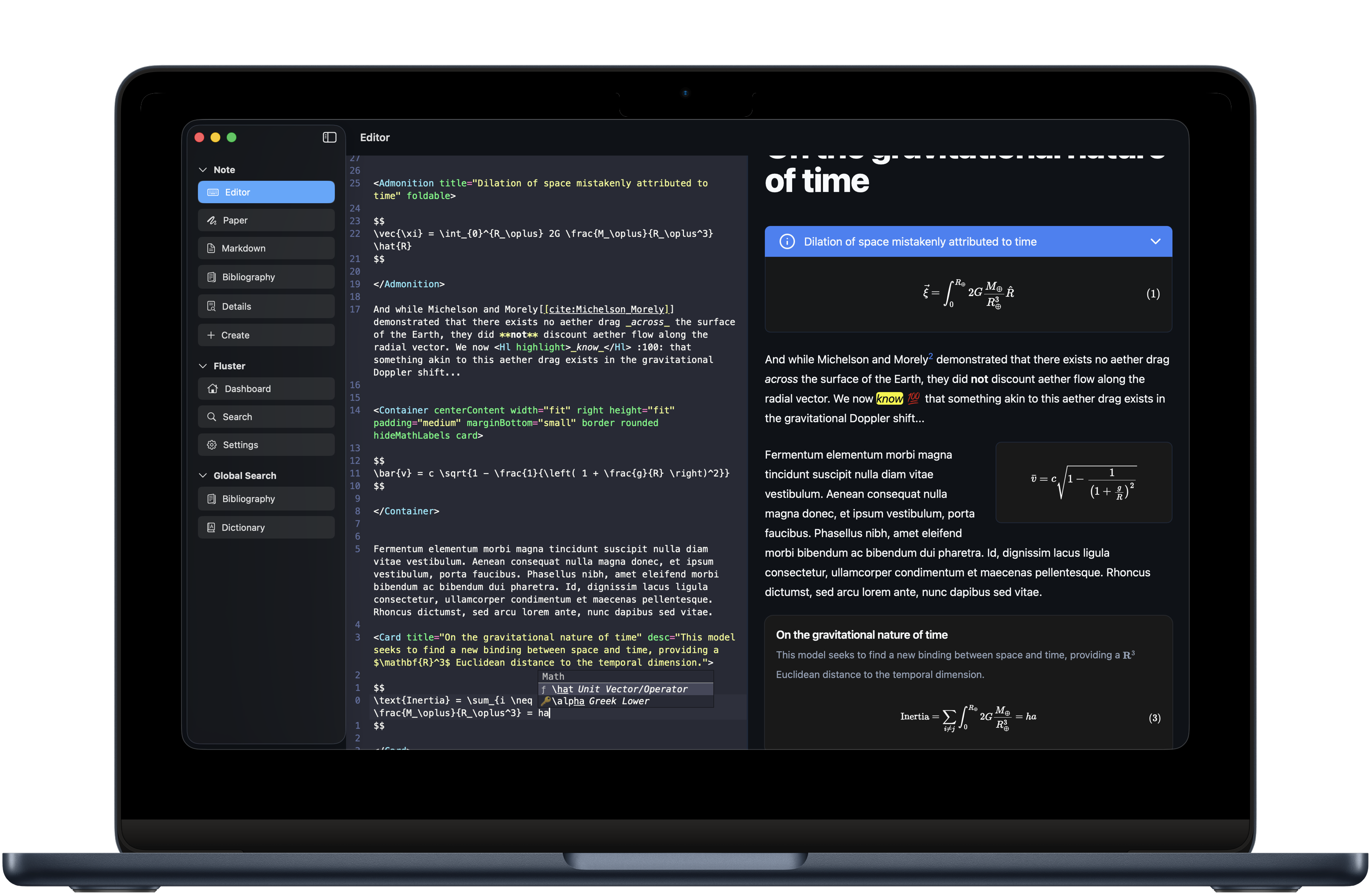
To accomplish this, Fluster gradually turned to what I'm calling Conundrum, a transpiler that is capable of converting your Conundrum notes (the format Fluster uses) to a variety of outputs defined by a list of flags that can customize the output of the content as a whole, while component properties allow you to customize the behavior of individual pieces of your note. If this all sounds too technical, just know that with this tool your notes can easily be converted back to regular markdown, to plain text, to an input intended to be consumed by AI (AI actually writes in markdown natively most often) and more. This very documentation was written in Conundrum, using the same transpiler that powers Fluster.
Don't forget!
While Conundrum is a large part of what makes Fluster unique, it's not it's only input method! Fluster keeps your hand drawn sketches right next to your typed notes. This allows users to provide AI with the type of content it consumes best (regular, plain-old markdown transpiled by Conundrum) while allowing for the input method that the user finds most fitting in non-AI or text related workflows.
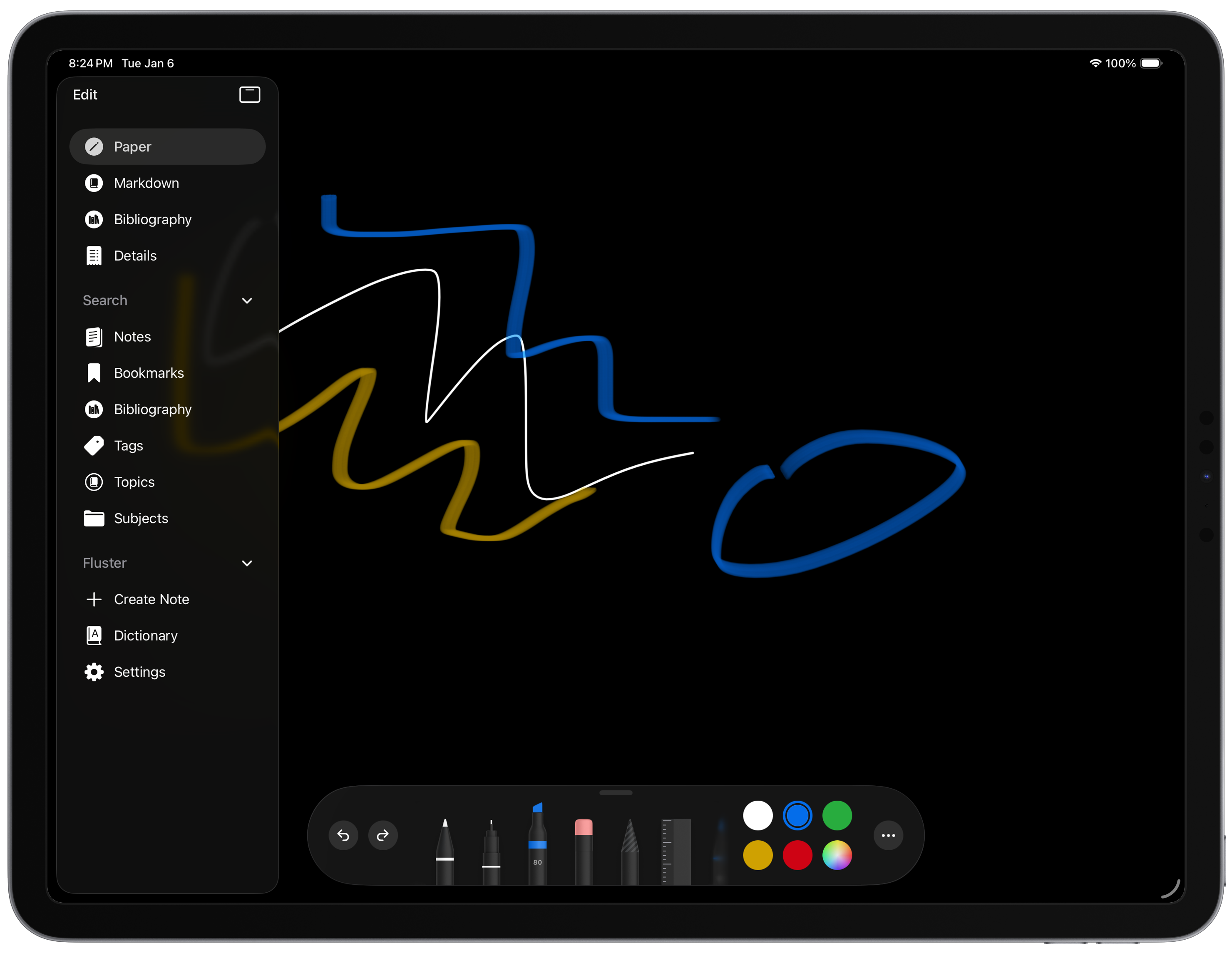
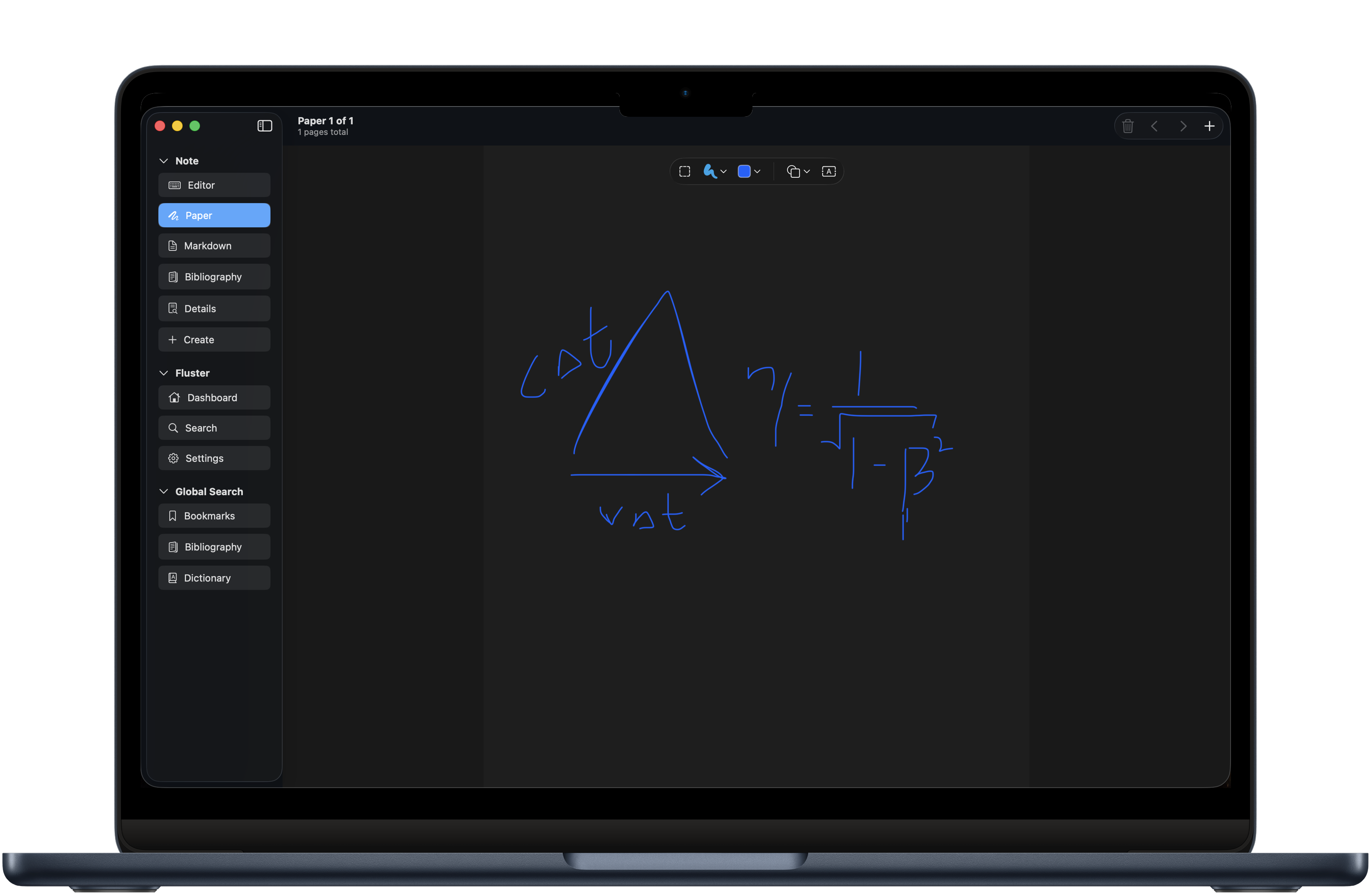
Thanks to Apple's amazing
PaperKit
, users will have access to the same drawing tools they're used to throughout the rest of their applications, supported on both Mac and iPad (and eventually iPhone, whenever that app comes around). Support for annotating PDF's with the ability to link them to your citations is on it's way shortly, as well as integration with the rest of the Apple ecosystem (think about being able to embed events from your calendar directly in your note or similar).
Search, search, search...
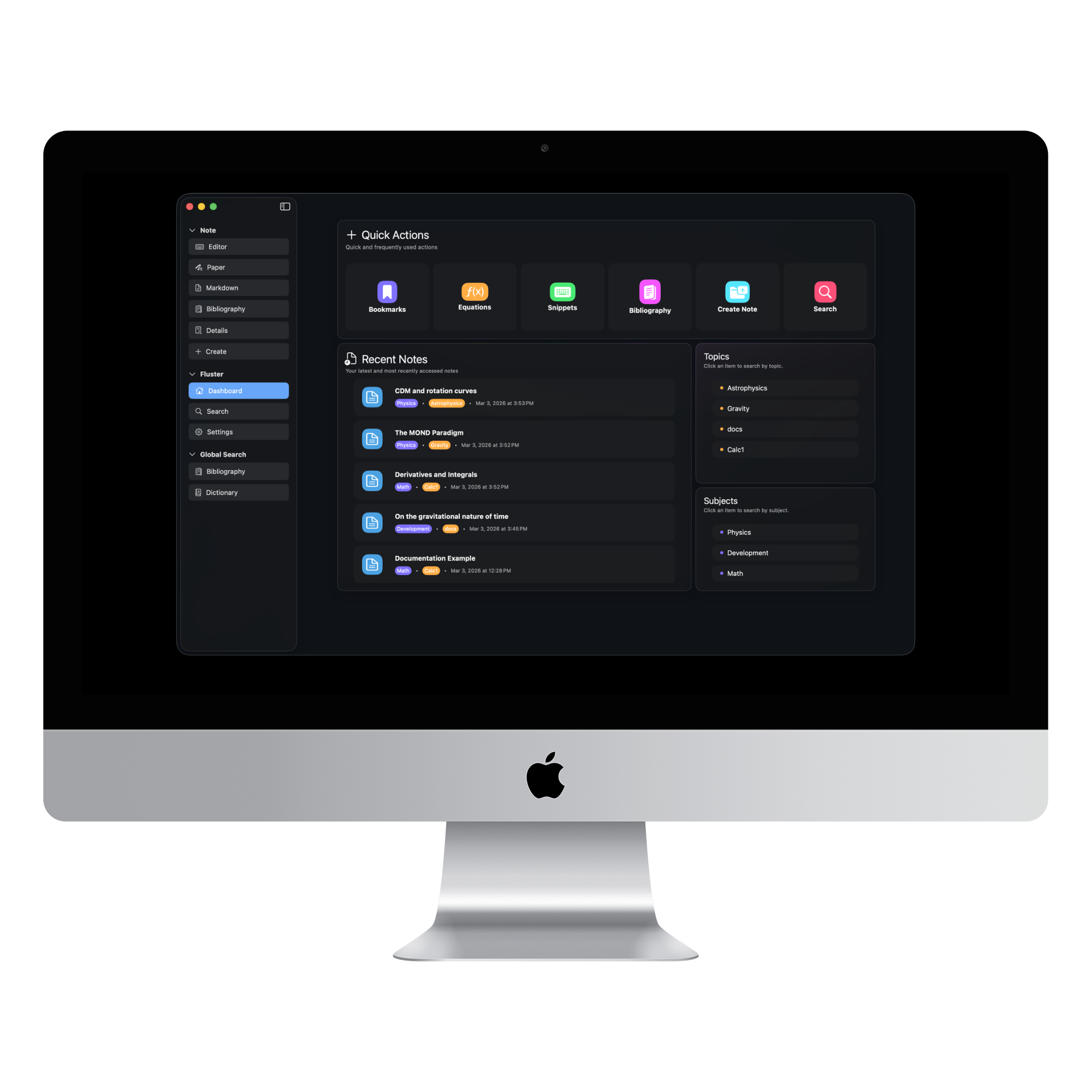
One of the primary motivations for Fluster was to build an application capable of handling the workflow of modern STEM professionals, with all of the searching, tagging and linking features necessary to dig through an often chaotic mess of old research, papers, notes, images and more. While Fluster currently has limited support for local images and other binary based formats like 3d models, this support will grow rapidly once I am in a more stable living situation with the funds to properly tackle this integration (I really need a physical iPhone and a network connection to build this out properly). The original application did include support for 3d models, local images and integration with Jupyter servers... all features that are currently limited by my living situation, and reintegrating them is a major priority.
With that being said, Fluster still offers searching and tagging features that are unique among the apps that I've used, and I've tried a lot. The primary features work like this:
-
Tag
-
Add as many tags to each note as you like using the
[[#myTag]]syntax. These are automatically picked up by the Conundrum transpiler, linked to your note, and made searchable throughout your application.
-
Add as many tags to each note as you like using the
-
Topics & Subjects
- A 'topic' and a 'subject' are basically identical in functionality to the tag, apart from that each note can have at most 1 topic and 1 subject. I'd recommend using these in a sort of hierarchic way, with one being more broad than the other. For a high school student this might look like a set of subjects of 'math', 'physics', 'personal' and a set of topics like 'complex-numbers', 'Newtonian-gravity', and 'finance'.
-
Dictionary Entries
- Conundrum includes support for embedding dictionary entries directly in your notes and exposing them to a larger 'dictionary' page which can be used to link back to the note where the dictionary entry was created.
-
Citations
-
Even if you're not into academic note taking specifically, this tool is something that you should consider giving a try. By making notes searchable by citation, we can support any link type that is supported by BibLatex. You can cite websites (even specific social media channels), books, movies... even events you attended & conversations you had! There are a set of built in snippets to help you complete these entries, and editor support for the Biblatex language to make inserting these citations more reliable.
-
Citations can be formatted by any of more than a dozen included citation formats, with support for arbitrary
.cslfiles available in the coming months.2 -
See the embedded
Syntax??documentation for more information.
-
Citations can be formatted by any of more than a dozen included citation formats, with support for arbitrary
-
Why should I use Fluster?
Well, because you need more from your note taking application. Fluster was built to support my own requirements as I pursued a modified model of relativity, helping me to derive what I believe is a demonstrable observation of a misconception made by Einstein, and I believe because of that the architecture of the application is unlike any other application available. Being a former developer, if there was a feature that I wanted, I just added it. More than 2 years later I finally decided to release it, and now 3 complete, hair-pulling rewrites later we're finally ready to launch!
Please consider supporting this application if you can by sharing it with others. I built this application while living in my car for almost 4 years while working on this modified model of relativity, and I'm now living in public housing without income. I'm not giving up on this model until it makes it's way into the physics debate, and since it reaches some rather controversial conclusions peer review is off of the table. The model is rock solid, but in the modern group-think culture in physics, Avi Loeb (the guy you see on the news talking about aliens, publishes more often than I go to the store) couldn't get this past peer review, so I need your help to push this model into the discussion.
Learning Curve
If you're worried about the learning curve, don't be! Fluster includes it's own set of embedded documentation available directly in the application! Inspired by some of my best workflow setups that I had during my time pursuing this model, I wanted to bring that experience to the non-developer through Fluster, so all you have to do is type
Docs??
for a list of all documentation commands, or use the same syntax with any component! Below is an example of this syntax with the
Card
component, the Emoji documentation, and the component list, respectively.
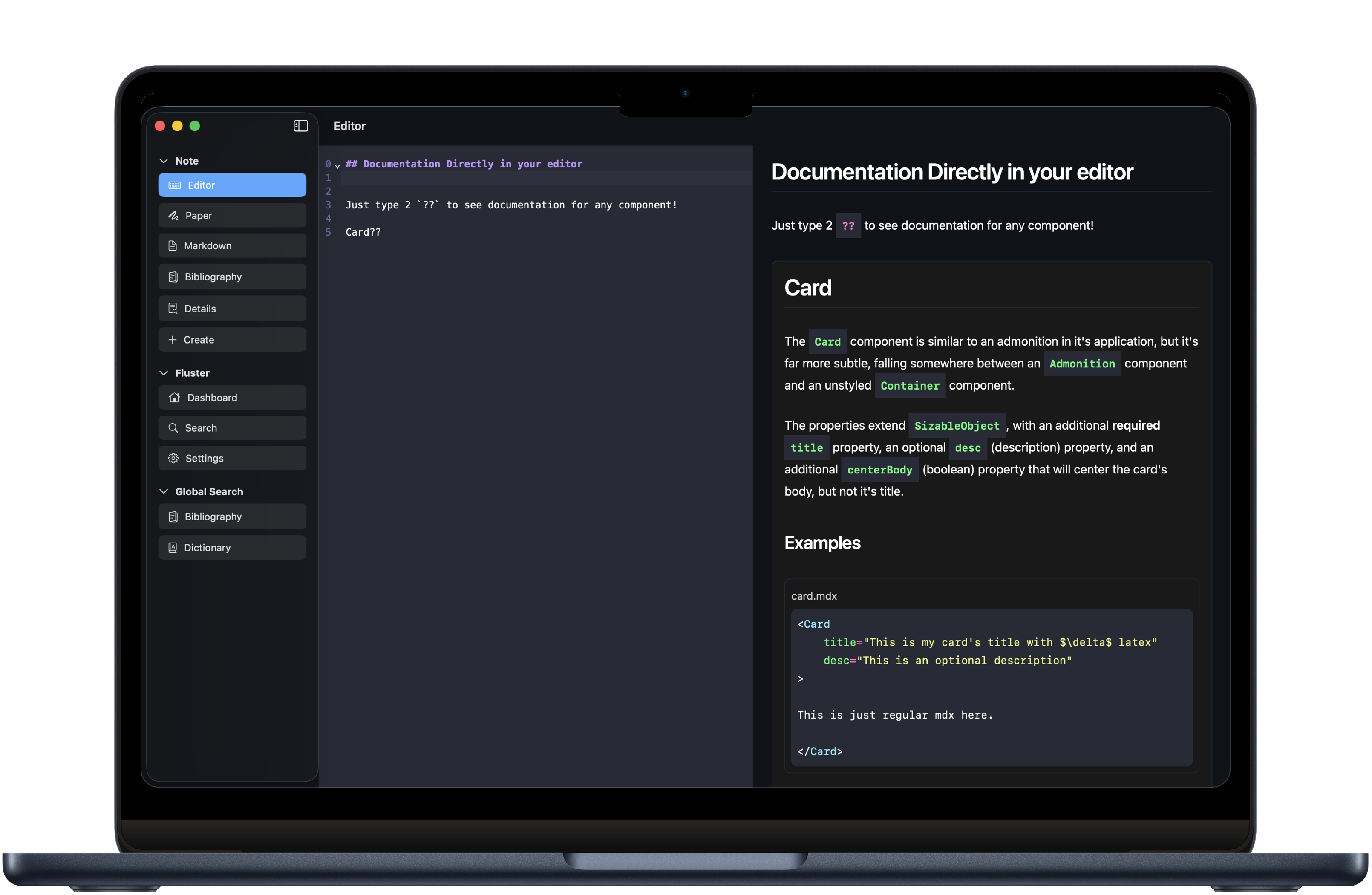
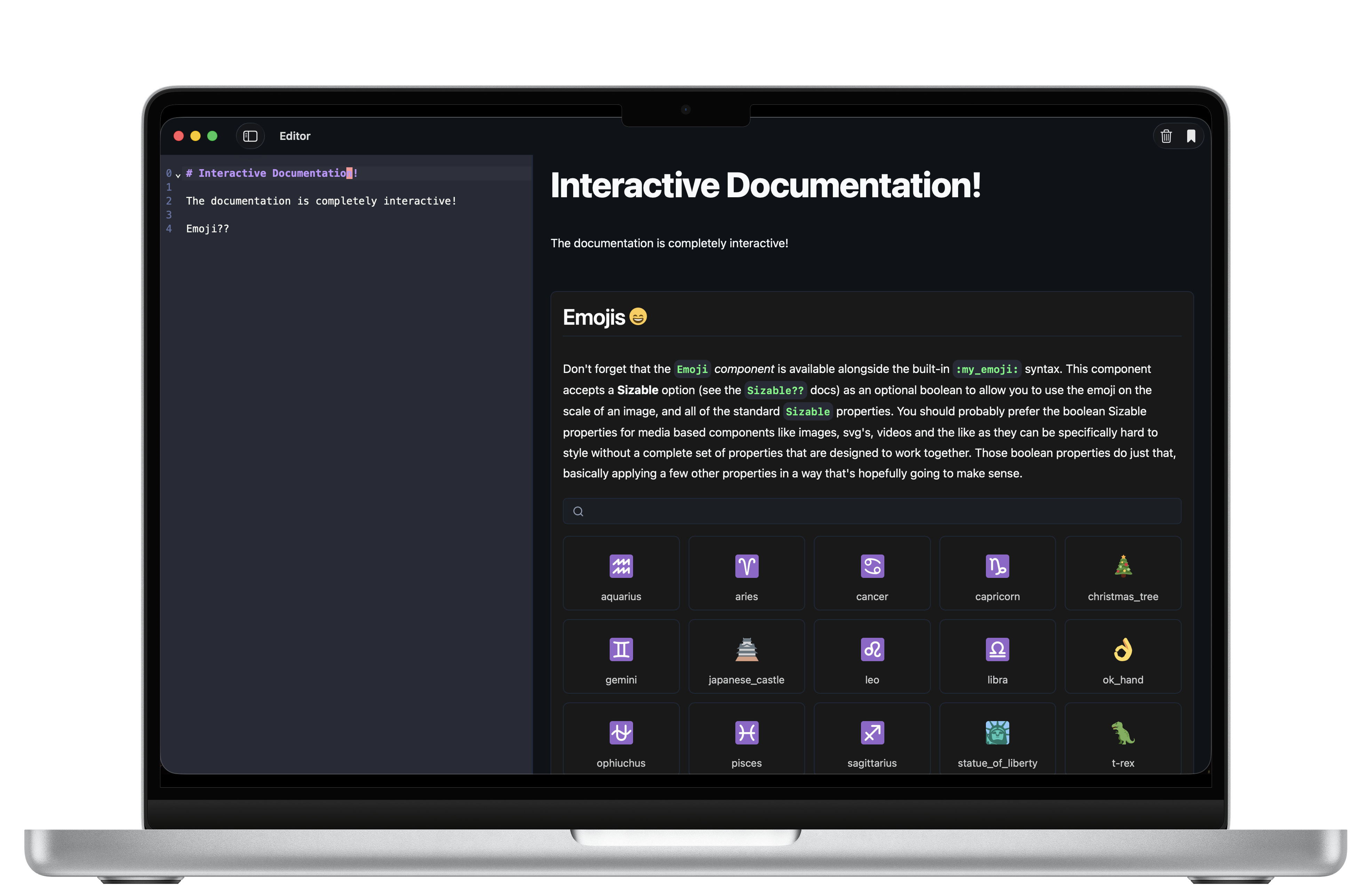
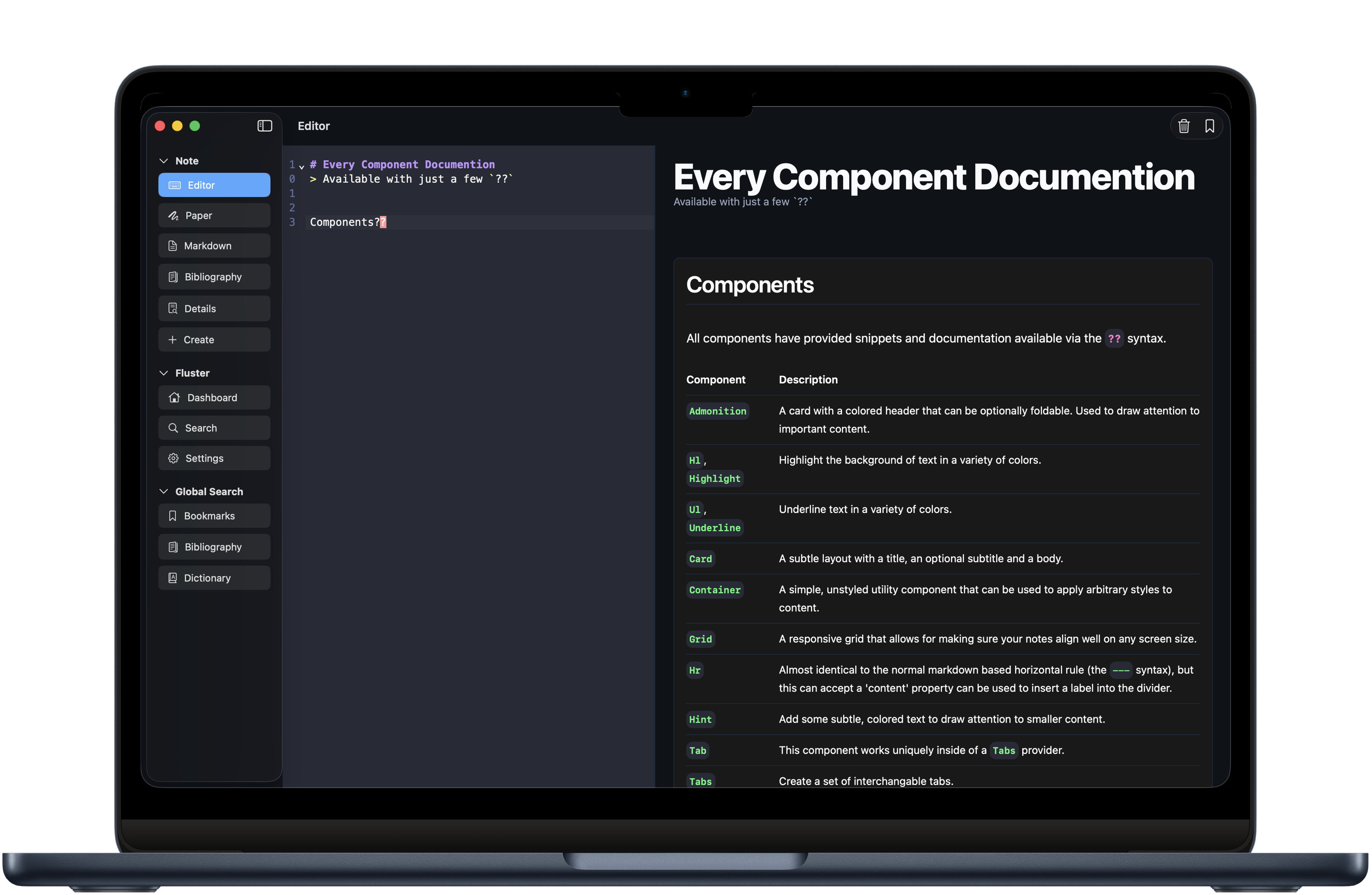
Want to see this in action? The following input:
Prints this card below, with a list of more documentation commands. Keep in mind, this is the short documentation. There's a more complete version of each documentation command made available by just adding another
?
!
Documentation
| Trigger | Desc |
|---|---|
Docs??
|
The one you probably want to remember. This will take you back here. |
Markdown??
|
A quick markdown reference for those just getting started. |
Jsx??
|
A quick jsx reference for those that are ready to take advantage of the 'x' in mdx. |
Syntax??
|
A reference to Conundrum specific syntax. |
Emoji??
|
A sample table of many of the emojis available in Conundrum. |
Components??
|
A list of all available components. |
Conundrum??
|
A few details about the Conundrum transpiler that drives Fluster. If you ever want to take your notes elsewhere, this free & open-source tool can convert everything back to regular markdown, plain text, and more! |
Every component also has documentation, available at that component's name with the same
?
syntax.
Component Property Models
| Trigger | Desc | Used in |
|---|---|---|
Sizable??
|
The core styling model, especially for container components. |
Card
,
Container
,
Admonition
, etc.. |
Emphasis??
|
A list of boolean properties that can apply unique styles like
info
or
important
. |
Highlight
,
Underline
,
Admonition
, ... |
Helpful Features
-
Built-in Snippets for every component
- Context aware snippets (Math snippets that only appear where math is available, etc.)
-
Syntax highlighting
- This actually currently uses the mdx syntax highlighter. Because mdx and conundrum, currently are so close in syntax there is not much of a distinction, but Conundrum will provide it's own unique, feature-complete syntax highlighter in the coming months.
- Embedded documentation, available completely offline built directly into the language itself.
-
LSP driven intellisense.
-
This feature might be new to those that aren't developers, but let me tell you... it's a game changer for productivity and speed. LSP stands for 'language-server-protocol', and it's just an application that runs in the background that applications like Fluster can ask for different types of responses based on your current cursor position, and with those responses we can do everything from autocomplete component properties to grammar checking sentences. This feature is just now being undertaken, so it will be a few months, but when this LSP is complete it will take writing Conundrum to a whole other level.
-
Why did you build Fluster?
Well, this is where things get interesting. I talk about it elsewhere, so to avoid the risk of repetition I'll just keep it short and say that almost 5 years ago I was up late one night, finally getting ready to put my work away for the night when I decided to make some toast, opened a book of Einstein's lectures (former PhD candidate in astrophysics) I had sitting on the side of my counter while I waited for my toast and after flipping to a random page an assumption stood out to me... an assumption that made far more sense before our observations that give us the Big Bang.
I started to play around with the math around this assumption, and quickly realized that we can derive multiple directly observed quantities to well within measurement error (that are completely unaccounted for by either general or special relativity). I decided to quit my job to work on publishing a paper, but since this model reaches some really controversial conclusions (Einstein was wrong, gravity is repulsive, etc.) peer review really isn't an option, especially for someone that stopped short of a PhD.
I became homeless after a few months of working on this model full time, and since I was homeless, completely broke, and with little else to help me but what I had available locally on my own computer I started to build my own application. Originally I had tried other note taking applications, but all other options lacked one side of the coin, so to speak... they were either great for search and linking, with limited STEM related functionality, or they were a near perfect planet based STEM tool that lacked a modern UI, almost any searchability at all, and seemed to view organization as completely outside of their scope.
It wasn't until around 2 years into using this app that I even considered releasing it, but as the feature list grew I realized that there are no other applications like it, and as it served me so well, I hope this application will also help others learn and study to the best of their abilities.
I'll save you the boring technical details about the rewrites, but from there it's been a long, long journey to this current application (you can find the original open source application on Github still), and I just want to say thank you for checking it out. Even if you choose not to subscribe, sharing this application with others will do incredible things towards helping push this model into the physics debate, which is why Fluster was even created in the first place.
Overall I'm happy with the application so far, but it's not perfect. Please remember... I built this almost completely without internet and most of the time without a power outlet. I didn't even know the Swift or Rust languages when I started... that's 2/3 of the application. There were dozens of times where I had to make a less-than-ideal decision just based on the fact that I didn't have the internet required to install the things I needed to to implement the feature I was aiming for or some other financial limitation, and each of those features will be added to Fluster as soon as I can find a more reliable work environment with access to the internet. This app isn't even half of what it will be in a year, if I can find my way into a better living situation. Building an iPad app without an iPad is about how far I'm able to confidently work with the simulators.
Footnotes
.csl
files, send me a message! I'm trying to find a balance between the binary size and the scope of the project. Eventually we'll have support for downloadable assets, bringing the best of both worlds and making the entire collection of
.csl
files accessible, but for now that would blow things out of proportion on mobile devices.